

Tax season starts, and you check the mail every day. Nothing. The W-2 you need hasn't arrived, and you can't tell if it's late or just slow.
On the other side, small employers face their own confusion. Does "sent by" mean postmarked by the deadline? Or does the employee need it in hand? And which agency gets which copy?
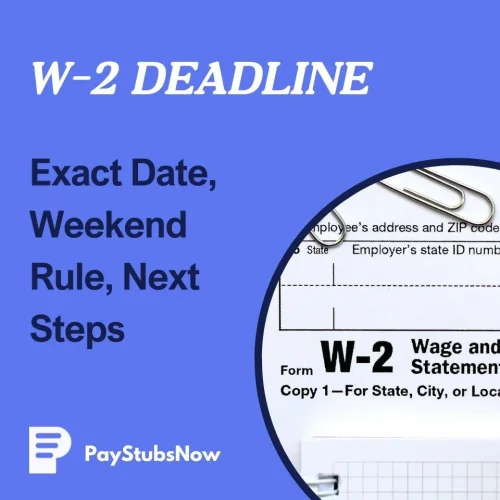
The W-2 deadline for tax year 2025 is Monday, February 2, 2026. This is when employers must send forms to employees and file them with the Social Security Administration (SSA).
This article clarifies the weekend rule, mailing timing, which agency handles what, and how to keep tax season moving.
W-2 timing gets easier when you know what each copy is for and what employers must do by the W-2 deadline. Get a clear breakdown of employer responsibilities, filing destinations, and common mistakes.
Read What Is a W2 Form? W2 Employer Responsibilities Explained

Your W-2 reports wages along with Federal Insurance Contributions Act (FICA) taxes—the Social Security and Medicare amounts withheld from your pay.
Every year, the standard due date is January 31. When that date lands on a weekend or legal holiday, the IRS pushes it to the next business day. For the 2025 tax year, that means February 2, 2026.
If you're an employer: First, hand out or mail W-2 copies to each person who worked for you during the year. Then, submit Copy A to the SSA. Missing either one can trigger penalties.
If you're an employee: Expect to have your W-2 around the deadline, though mailed copies may take a few extra days. If your W-2 hasn't arrived shortly after the deadline, run through these quick checks before assuming it's late:
It's important to review your W-2 to make sure it's correct before filing your taxes.

Employers meet the W-2 deadline by getting forms out the door, not by guaranteeing delivery. According to the IRS, the furnish rule is met when the W-2 is "properly addressed and mailed on or before the due date."
A postmark dated February 2, 2026 (or earlier) counts as on time, even if the envelope arrives days later.
For paper W-2s, USPS First-Class mail delivery is within five business days. A form mailed on February 2 could land in your mailbox around February 7. Electronic delivery through a payroll portal or email may give access on or before the due date, though it requires prior consent from the employee.

Staying on the right side of the W-2 filing due date comes down to three tasks:
Copy A goes to the SSA. This trips up many small employers because the IRS handles so many other filings. The SSA collects your wage data, then shares it with the IRS on its own. Sending forms to the wrong agency can delay processing and expose you to late-filing penalties.
The easiest way to file is through SSA's pilot Business Services Online (BSO), a free portal with two options:
If you have 10 or more information returns to file (W-2s, 1099s, and others), electronic filing is required by IRS regulations.
BSO requires a Login.gov or ID.me account, and the SSA may mail an activation code. Build that setup time into your schedule well before the deadline.
To catch errors like mismatched totals or transposed Social Security numbers, use PayStubsNow's W-2 Generator to produce forms with built-in calculations. Then enter the verified data into BSO for official submission.
Year-round records from a Paystub Generator also make reconciliation easier when December rolls around.
Some states require separate W-2 reporting through a Department of Revenue portal. Search your state tax agency site for "W-2 filing" or "withholding reconciliation" to confirm any extra filing thresholds or due dates.
Late or incorrect W-2s carry penalties that grow steeper the longer you wait. The figures below apply to returns due after December 31, 2025, and are indexed—meaning they may adjust in future tax years.
| When You File or Correct | Penalty Per Form |
|---|---|
| Within 30 days of the due date | $60 |
| After 30 days, but by August 1 | $130 |
| On or after August 1 | $340 |
| Intentional disregard | At least $680 (no cap) |
Intentional disregard means you knowingly ignored the filing rule or submitted forms with false data. Unlike the tiered penalties above, there's no annual cap—making it the most costly outcome.
Two separate IRS forms address two separate problems, and filing one doesn't cover the other. Use these forms only when real circumstances prevent you from meeting the W-2 deadline.
If you need more time to file Copy A with the SSA, submit Form 8809 to the IRS before the W-2 deadline. This grants a 30-day extension, but it's not automatically approved.
If you need more time to get a W-2 to an employee, submit Form 15397. The IRS must receive it before the W-2 deadline. It generally grants a 15-day extension, though you can get a 30-day extension with it. This is not automatically approved.
Once Copy A is filed through BSO, your penalty exposure is mapped, and any needed extension is submitted.
If you're building W-2s in-house, the key workflow is reconciling wages and withholdings before you enter data into the SSA BSO.

When your W-2 doesn't arrive within a fair window after the deadline, follow these steps in order:
Your final paystub shows your year-to-date (YTD) totals—the cumulative amounts from January 1 through your last pay period. You'll also need your employer's name, address, and Employer Identification Number (EIN), if you have it.
Include your best estimate of federal and state taxes withheld. If the actual W-2 arrives later and the numbers don't match, you may need to file an amended return.
If your W-2 is missing after the deadline, you may need your final paystub's YTD figures to estimate wages and withholding. Create a clean year-end paystub you can reference.
PayStubsNow's W-2 Generator turns year-end paperwork into a repeatable process. Instead of recalculating totals from scratch, you get accurate, state-compliant forms when you need them, with fewer manual errors and cleaner records year to year. Fast. Accurate. Payroll Simplified.
To build the year-round records that make the W-2 tax season faster, make your paystub now.